Easyling release notes May, 2026
May is a pretty productive month in the realm of Easyling. Some adventurers (engineers) focused on slaying large monsters (moving entire features over to the Dashboard 3.0) while others cleared out the spider nest (which is just a bit more literal way of saying squashing bugs). I may be playing too many fantasy video games, so before I get too deep into the metaphor, join me at the rest of the article below the fold.
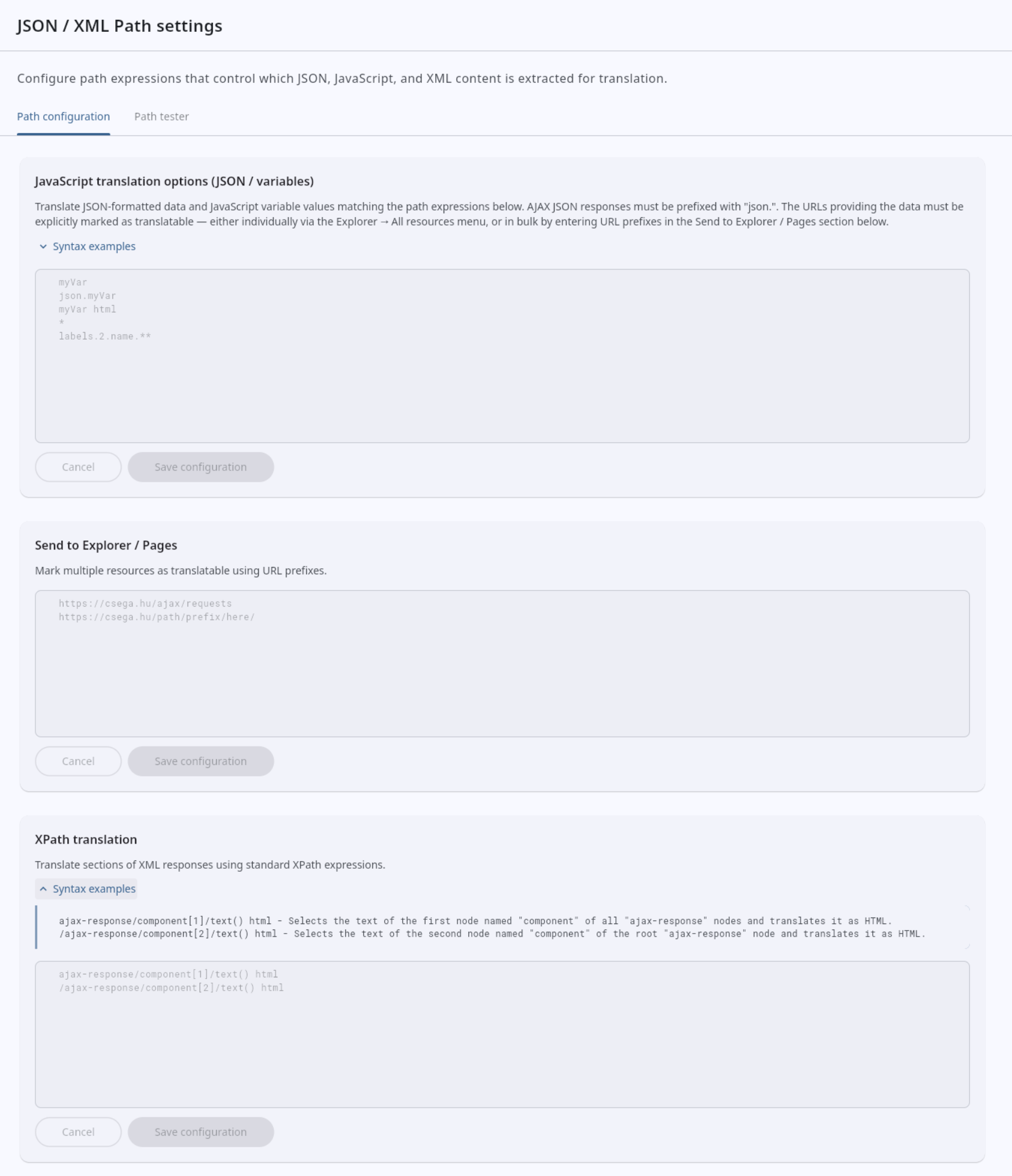
JSON/XML Path settings
When configuring projects to use the translation proxy (as opposed to Crest), dynamic content coming from JSON or XML resources needs to be marked manually. On the old Dashboard, we used to call the feature for this JSON/JS/XML processing, but on the new interface it is simplified to JSON/XML Path settings. The features you find here are the same as the old interface. For all the details, I recommend you take a look at our documentation.
Workbench: optional saving to TM
Sometimes changes are made to translations that do not exactly match the source segments. This is likely needed when the translated pages need to contain some specific keywords for SEO that weren’t in the source segment. However, saving these to the translation memory may not be wanted because then these may come up as suggestions in places where those would not be appropriate. To help with this scenario, we added an option not to save to the TM in the New Workbench. You can set this via the dropdown in the top bar.
Better resource replacement for fragmented URLs
There’s always that one website that shows a scenario where we feel like “why didn’t we think of this before”. Slightly simplified, our example is example.com/path/to/document.pdf#page=3. This allows this example site to link to a specific page in the given PDF. However, this setup raises two concerns:
- If there are links to
#page=3and#page=4, those would be treated as separate URLs. The translation is likely to be the same, but it would have to be uploaded multiple times on the Dashboard. - It’s possible that due to text expansion the page numbers between the source and the translation are different.
Sooo, what if you could just treat them the same? Well, you now can. You just need to upload the translation for example.com/path/to/document.pdf, and it’ll be used for example.com/path/to/document.pdf#page=3, example.com/path/to/document.pdf#page=5, and even example.com/path/to/document.pdf#fragmentcanbe=anything.
Miscellaneous
Naturally we have a few good bugs that were squashed.
- We improved the way the filter for the source segment’s status works when generating a new Work package.
- The page content override feature was improved to better suit the scenario where you have the content ready in a separate file.
- The search in the navigation was improved.
- We added new cards to the Project overview section and cleaned them up so that the data is more understandable than the old Dashboard.
- There were different designs of tabs throughout the Dashboard 3.0 that we now harmonised.
- We fixed the display of audit log entries for events relating to the Glossary feature.
- Linguists now do not have even view-only access to sections where they can’t make changes.
- We upgraded the page selector in the New Workbench so that the domain is hidden for URI’s within the project’s domain. This matches the behaviour of the old Workbench.
- We noticed a bug in Mozilla Firefox where tags may disappear when they are dragged around with the mouse. We disabled dragging and dropping for Firefox. Note that Google Chrome is the recommended browser for accessing Easyling, and it’s the only one officially supported. Other Chromium-based browsers like Edge and Brave should just work the same though.
- We fixed a bug in the bulk approve/exclude feature.
- The tags from the source segment are now showed in the target editor even when there are no translations yet. You can just add the text wherever you need.
- We improved the way the New Workbench handles scenarios around network issues.
- The value for the
Strict-Transport-Securitycan now be set to more strict values for whitelabels. - The Glossary import from CSV feature now accepts lines where translations do not exist for some of the language(s).
- We changed the crawler so that it doesn’t explicitly request an XML response for resources. Whatever the server wants to send is accepted.
Ready to build your website localization infrastructure?
Book a free consultation with Easyling's solution experts. We'll review your website, your current setup, content volume and your goals. No generic demo. No sales deck. A real conversation about your project. Including a live translation preview of your own site.
Book a free consultation