Easyling release notes June, 2026
In June, we focused on a multitude of smaller fixes and improvements. These ensure that the Dashboard and the New Workbench function smoother than ever. We made improvements to the Dropbox integration. I promise this is good - read the article for all the details.
Dropbox
The Dropbox integration is a crucial tool for collaboration and to facilitate project management in Easyling. The most common use-case for it is in conjunction with auto pre-translate that can apply recommendations from your translation memory and then submitting it to Dropbox. As such, we first added it to the APT settings. Then, the natural progression was to add it into the menu as well so that you can access it from anywhere.
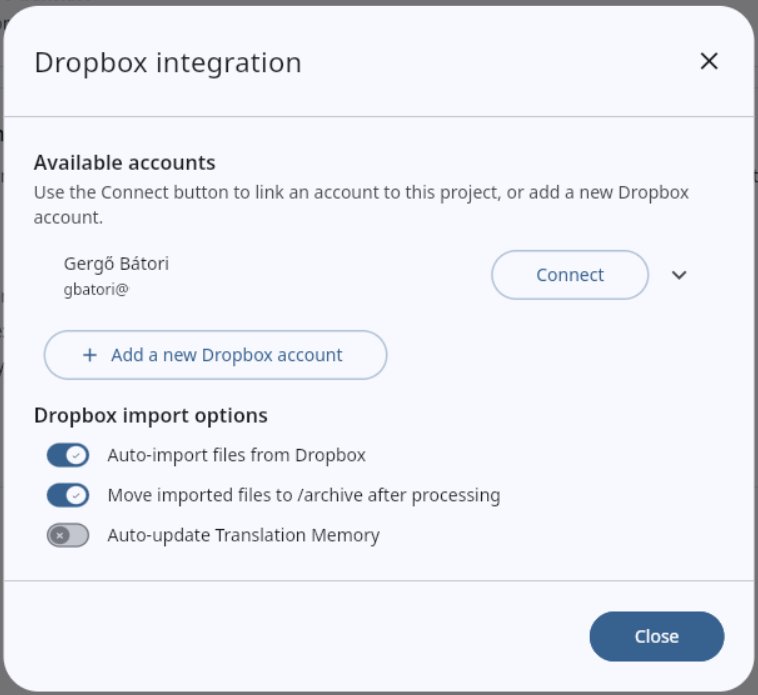
Finally, we added the option to import translations from Dropbox too.
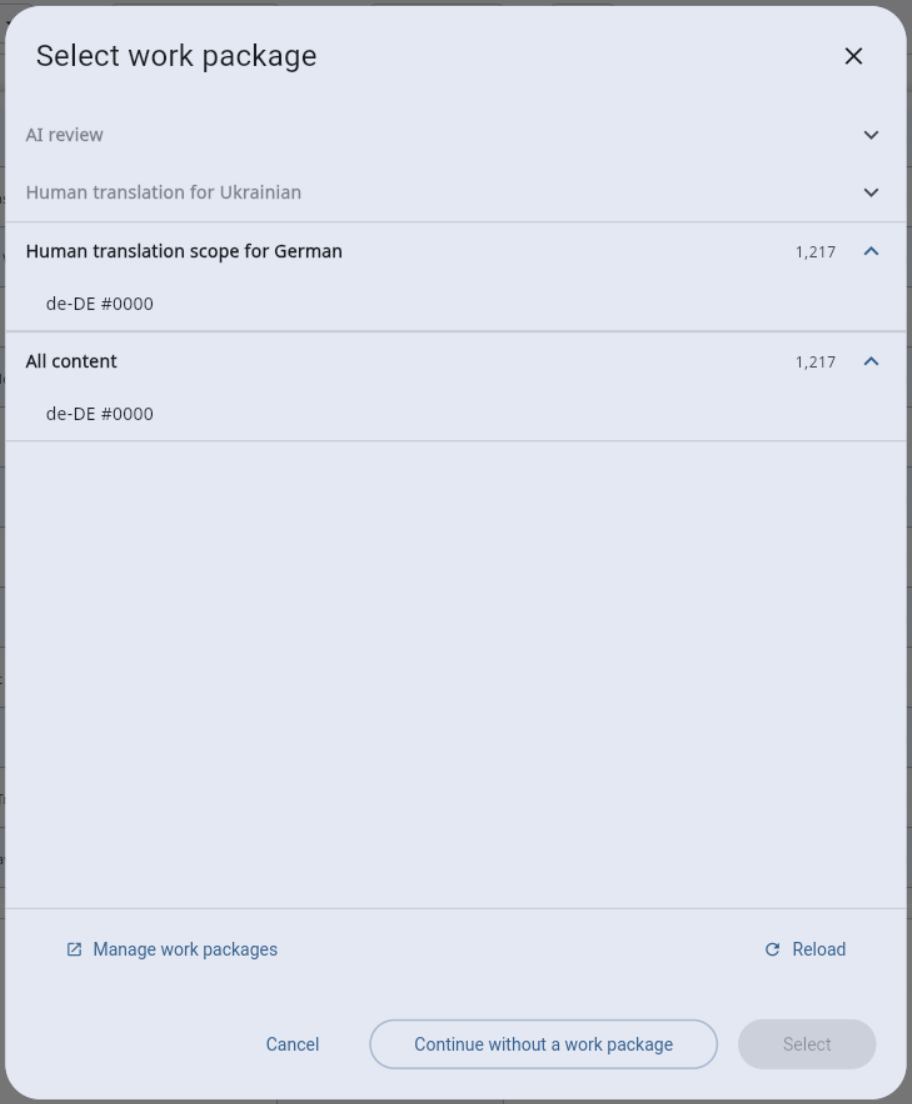
Work package selector in Workbench
The old Workbench had a simple dropdown for selecting which work package you want to work on, but we found that this oversimplifies the situation. In the New Workbench, we added an entire dialog for this purpose that allows you to better manage your WPGs.
Faster processes
We looked at options to speed up background processes. One example is the Populate feature of translation memories. When there are multiple target languages to work through, the system now works through them in parallel. There are additional smaller improvements behind the scenes as well.
More information
We are focusing on transparency on the Dashboard. We sprinkled in wording to make it more clear what things are and what they do. Among others, we added estimates for how long background processes may take, and we updated the model recommendations for our AI features.
Miscellaneous
We always have smaller things, this time there are quite a few of them.
- When saving partial publish progress, the system now merges languages/domains instead of overwriting so multiple in-flight language publishes can be resumed.
- We made the status bar language popup scrollable so long published/unpublished language lists still fit on the screen.
- The project overview has information about the project domain and staging domain(s). These can now be selected, copied or opened in a new tab.
- ContentGuard processes can now be run from the Work packages section.
- When Cache-Control headers under Path Prefix Override it now applies to
s-maxagetoo. - In the Sanity content connector,
translate="no"is now handled in field values. - We fixed a bug where projects would get an empty translation path prefix, which would result in nothing being translated.
- We hid advanced controls (sharing invites, path prefix rules/queries, pre-translate) from linguist/editor users. This way they can focus on what they can do best.
- We clarified the error message on screen when CNAME is already taken by another CloudFront distribution.
- In the New Workbench, we fixed a bug in the language selector where part of it wasn’t clickable.
- The history of a segment is also updated after saving to ensure your changes are reflected.
- When switching to the Visual editor, previously selected filters that would prevent you from selecting the segments are cleared.
- Text orientation is now switched appropriately when switching target languages.
Ready to build your website localization infrastructure?
Book a free consultation with Easyling's solution experts. We'll review your website, your current setup, content volume and your goals. No generic demo. No sales deck. A real conversation about your project. Including a live translation preview of your own site.
Book a free consultation